The Data You Are Not Collecting
If your analytics setup relies entirely on JavaScript tags firing in the browser, you are working with incomplete data. Independent studies from multiple analytics providers put the gap between 25% and 35% — meaning roughly one in three user interactions never reaches your analytics platform.
This is not a theoretical problem. It directly affects every decision derived from analytics data: ad spend allocation, conversion rate optimization, attribution modeling, and revenue forecasting. When your data systematically undercounts certain segments — privacy-conscious users, iOS visitors, ad-block users — your optimization efforts are biased toward the users you can see, not the ones generating revenue.
Server-side tracking addresses this by moving data collection from the browser to your own server infrastructure. The concept is straightforward; the implementation has nuances worth understanding before you invest.
How Client-Side Tracking Actually Works (and Fails)
In a traditional client-side setup, the data flow looks like this:
- User loads your page
- Browser downloads and executes a JavaScript tracking snippet (e.g., gtag.js, Meta Pixel)
- The script collects page view, event, and user data
- The script sends this data to a third-party endpoint (google-analytics.com, facebook.com)
- The analytics platform processes and reports the data
Each step in this chain has failure points.
Where Data Gets Lost
| Failure point | Cause | Estimated data loss |
| Ad blockers | uBlock Origin, AdGuard, Brave browser block tracking scripts | 15-25% of desktop users |
| Browser privacy features | Safari ITP, Firefox ETP limit cookie lifetime and block cross-site tracking | 10-20% of all users |
| iOS App Tracking Transparency | Users opt out of tracking (75-85% opt-out rate) | Significant on iOS traffic |
| JavaScript errors | Tag conflicts, slow pages, race conditions prevent script execution | 2-5% of sessions |
| Network interruptions | Beacon requests fail on slow connections or page abandonment | 1-3% of events |
| Cookie restrictions | Third-party cookies blocked by default in Safari, Firefox; Chrome phasing out | Growing impact |
The cumulative effect is not simply additive — these categories overlap — but the net result is consistent: client-side tracking misses 25-35% of actual user activity. For a complete server-side tracking guide that walks through each failure mode with measurement methodology, the technical breakdown is worth reviewing.
How Server-Side Tracking Changes the Data Flow
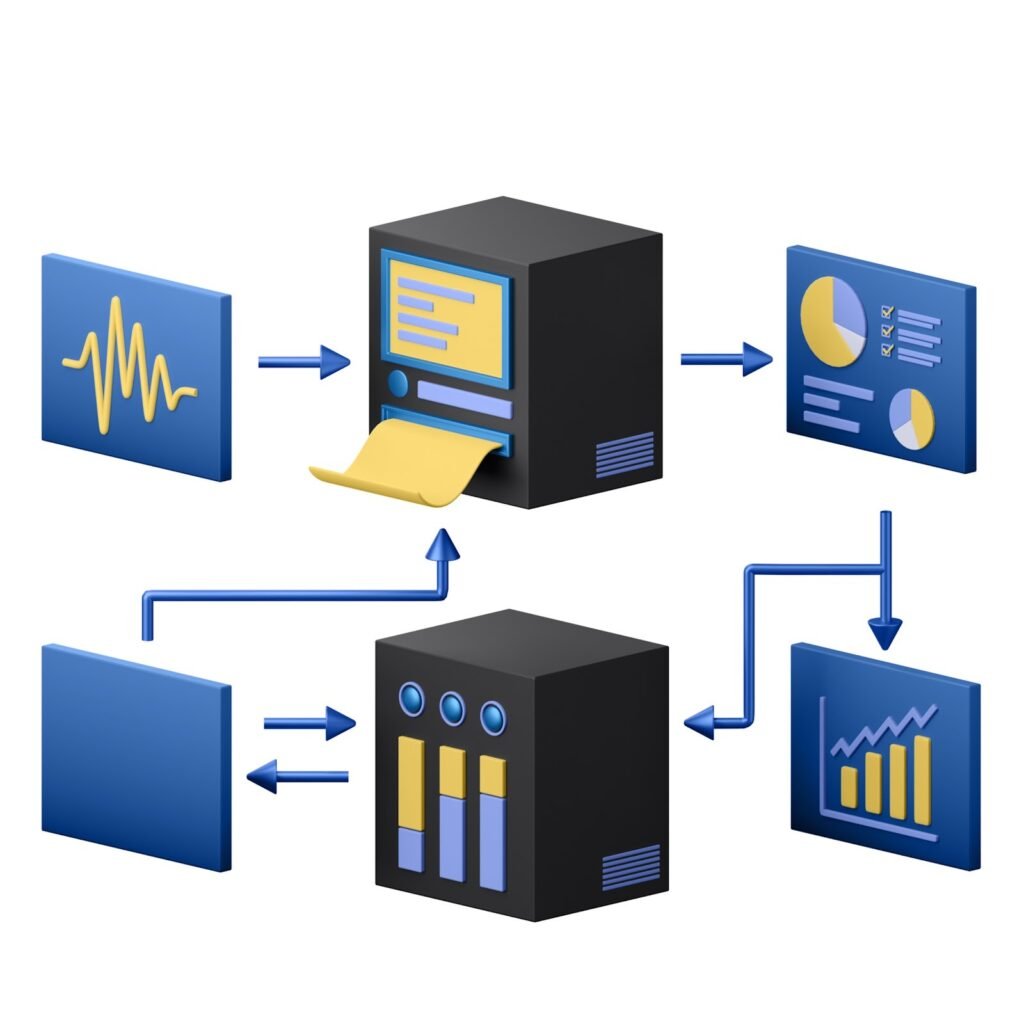
Server-side tracking restructures the data pipeline:
- User loads your page and interacts with your site
- User actions trigger requests to your server (not a third-party endpoint)
- Your server processes the request, enriches the data, and applies your business rules
- Your server forwards the processed data to analytics and advertising platforms via server-to-server API calls
The critical difference: the tracking data never passes through the browser’s network layer where it can be blocked. Your server-to-server communication with Google, Meta, or any other platform is invisible to ad blockers and browser privacy features.
What This Architecture Provides
Data completeness. Server-side events are not affected by ad blockers, JavaScript errors, or browser privacy restrictions. The Google Tag Manager server-side documentation details how Google’s own infrastructure supports this model.
First-party data control. All data passes through your domain first. Cookies are set as first-party (from your domain), which extends their lifetime under Safari ITP from 7 days to the standard expiration period.
Data enrichment. Before forwarding data to analytics platforms, your server can enrich events with CRM data, customer segments, or subscription status — information that would be impractical or insecure to expose in client-side JavaScript.
Privacy compliance. You control exactly what data leaves your infrastructure. You can redact, anonymize, or filter data server-side before it reaches any third party, simplifying GDPR and CCPA compliance.
Three Approaches to Implementation
Approach 1: Google Tag Manager Server-Side
How it works: You deploy a GTM server container on Google Cloud Platform (or another cloud provider). The client-side GTM container sends data to your server container’s endpoint (on your domain). The server container processes and routes data to GA4, Google Ads, Meta, and other platforms.
Infrastructure: A Google Cloud Run instance (or App Engine). Google provides a provisioning tool that sets this up in minutes.
Cost: The cloud infrastructure runs approximately USD 50-150/month for sites with up to 5 million monthly events. Larger sites scale proportionally.
Best for: Organizations already using GTM that want incremental improvement without rebuilding their tracking stack.
Approach 2: Custom Server Endpoint
How it works: You build a dedicated endpoint on your web server (e.g.,
/api/track
) that receives events from a lightweight client-side script. The server processes these events and forwards them via the respective platform APIs (GA4 Measurement Protocol, Meta Conversions API, etc.).
Infrastructure: Your existing web server, plus API integration code.
Cost: Development time (40-80 hours for a full implementation), minimal incremental hosting cost.
Best for: Engineering teams that want full control and already maintain server infrastructure.
Approach 3: Managed Platforms
How it works: Services like Stape, Piwik PRO, or Segment handle the server-side infrastructure for you. They provide a managed server container, pre-built integrations with major platforms, and a UI for configuring data routing.
Cost: USD 20-500/month depending on event volume and platform.
Best for: Teams that want server-side benefits without managing cloud infrastructure.
Cost vs. Benefit Analysis
The decision to implement server-side tracking involves real costs. Here is a framework for evaluating the return:
Costs
| Item | GTM Server-Side | Custom Build | Managed Platform |
| Initial setup | 10-20 hours | 40-80 hours | 5-10 hours |
| Monthly infrastructure | $50-150 | $0-50 (existing servers) | $20-500 |
| Ongoing maintenance | 2-4 hours/month | 4-8 hours/month | 1-2 hours/month |
| Learning curve | Moderate | High | Low |
Benefits (Quantified)
Recovered conversion data. If you currently track 1,000 conversions/month and server-side tracking recovers 25% of missed data, you now see 1,250 conversions. For an e-commerce site with $100 average order value, that is $25,000/month in previously invisible revenue becoming attributable.
Improved ad platform optimization. Meta and Google’s ad algorithms optimize based on the conversion data you feed them. A 25% increase in reported conversions means better-trained bidding models. Advertisers consistently report 10-20% improvements in ROAS after implementing server-side tracking, largely because the algorithms receive more complete training data.
Extended cookie lifetime. First-party server-set cookies last 90+ days in Safari versus 7 days for client-side JavaScript cookies under ITP. This directly impacts return-visitor recognition and attribution accuracy.
Compliance simplification. Centralized data processing through your server makes it straightforward to implement consent-based filtering, data minimization, and audit logging. This is increasingly relevant as Cloudflare’s engineering blog and other infrastructure providers document the growing intersection of privacy regulation and web architecture.
Break-Even Calculation
For most sites spending over $5,000/month on paid advertising, the improved attribution data alone justifies the infrastructure cost within 1-2 months. For sites without significant ad spend, the value is harder to quantify but manifests in better analytics accuracy and simplified privacy compliance.
Implementation Pitfalls
1. Not Deduplicating Events
If you run both client-side and server-side tracking simultaneously (recommended during migration), you will double-count events unless you implement deduplication. Use a shared event ID generated client-side and passed to both paths.
2. Ignoring Consent Management
Server-side tracking does not bypass consent requirements. You still need user consent before collecting personal data under GDPR. The difference is that you enforce consent server-side (more reliable) rather than relying on client-side consent scripts that can be blocked.
3. Overlooking Latency
Server-side event forwarding adds latency to data appearing in your analytics platforms. Real-time dashboards may show data delays of 1-5 minutes. For most use cases this is irrelevant, but if you rely on real-time analytics for operational decisions, account for this.
4. Neglecting Monitoring
Your server container is now a critical piece of data infrastructure. If it goes down, you lose all tracking data (worse than client-side only, where at least some data still flows). Set up uptime monitoring and alerting.
Getting Started: A Practical Sequence
- Audit your current data gap. Compare server-side pageview logs (from your web server access logs) against Google Analytics sessions. The difference is your baseline data loss.
- Start with GTM Server-Side. It is the lowest-risk entry point if you already use GTM. Deploy the server container, route your existing client-side tags through it, and measure the data recovery.
- Implement the Meta Conversions API (if running Meta ads). This typically shows the most immediate ROAS improvement.
- Extend to custom events once the basic pipeline is stable. Purchase events, lead form submissions, and key engagement events benefit most from server-side reliability.
- Phase out redundant client-side tags as you gain confidence in the server-side pipeline.
The Trajectory Is Clear
Browser privacy restrictions are tightening, not loosening. Ad blocker adoption continues to grow. Third-party cookies are disappearing. Every trend in the browser ecosystem points toward client-side tracking becoming less reliable over time. Server-side tracking is not an optimization — it is a necessary infrastructure investment for any organization that makes decisions based on web analytics data. The question is not whether to implement it, but how soon.