Imagine a normal office day. Someone is sending an email, someone is joining an online meeting, someone is opening a shared file, and another person is trying to print a document. All these tasks look different, but they all depend on one thing in the background, the network.
When the network works well, nobody thinks about it. Work feels smooth. But when the network has a problem, people notice it immediately. Emails may not go, websites may not open, calls may freeze, or company apps may stop loading. This is why IT teams need to understand network infrastructure, because most daily technical problems are connected to it in some way. Learners who want to understand these basics can start with CompTIA Network+ Certification Training.
What Network Infrastructure Means
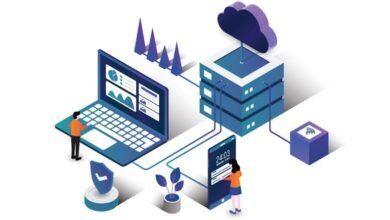
Network infrastructure means the basic setup that helps devices connect and share information. It includes things like routers, switches, Wi-Fi, cables, firewalls, internet connections, and servers.
In simple words, it is the system that allows one device to talk to another device. A laptop can connect to the internet, a printer can receive a print command, and a user can open a file from a shared location because the network is helping in the background.
Why IT Teams Must Understand It
IT teams cannot solve every problem by restarting a laptop. Sometimes the issue is with the device, but many times the issue is somewhere in the network.
For example, if one person cannot open a website, the problem may be with that person’s device. But if many people cannot open the same website, the issue may be with DNS, firewall settings, or the internet connection. Networking basics help the IT team understand where to check first.
Devices Need to Find Each Other
Every connected device needs a way to identify itself on the network. A laptop, printer, phone, camera, or server must have a proper connection so data can reach the right place.
Think of it like sending a parcel. If the address is wrong, the parcel may not reach the right house. In the same way, if a device has a network address issue, it may not connect properly or may not receive the data it needs.
Routers and Switches Do Quiet Work
Most employees may not know where the router or switch is placed in the office, but they use them every day. These devices help data move inside the office and outside to the internet.
A switch helps devices in the same office network communicate with each other. A router helps connect the office network to other networks or to the internet. So when a person opens a cloud app or sends an email, these devices are part of that journey.
Wi-Fi Problems Are Easy to Notice
Wi-Fi has become a normal part of office work. People connect laptops, phones, tablets, meeting room screens, and other devices without using cables.
But Wi-Fi can also create many common problems. If the signal is weak, a call may freeze. If too many users are connected, apps may load slowly. If the router is placed badly, some areas of the office may have poor coverage. IT teams need to understand these basic points before they can fix wireless issues properly.
DNS Is Like a Helper for Website Names
People remember website names easily, but networks work with addresses. DNS helps match the website name with the correct network address.
For example, when someone types a website name, DNS helps the device find where that website is located. If DNS is not working, the internet may look broken even when the connection is active. This is why IT teams often check DNS when users say websites are not opening.
Firewalls Help Decide What Is Allowed
A firewall works like a control point for network traffic. It helps decide what should be allowed and what should be blocked.
For example, a company may allow employees to open work tools, but block unsafe websites or unknown traffic. This helps protect the company network while still allowing people to do their work.
Cloud Tools Still Need the Network
Some people think that because a tool is in the cloud, the office network is less important. But that is not true. Cloud tools also need a proper connection.
Email, online meetings, file storage, customer tools, and project apps all need the network to work. If the internet is slow, cloud apps feel slow. If access is blocked, the app may not open. So cloud work still depends on good networking.
Remote Work Adds More Questions
When employees work from home, the IT team cannot directly see their full setup. The person may be using home Wi-Fi, mobile data, or a shared connection.
So the IT team has to ask simple questions. Is the Wi-Fi connected? Are other websites opening? Is the VPN working? Is the issue happening only on one laptop? These questions may look basic, but they help find the problem faster.
Monitoring Helps Before Users Complain
A network problem does not always start as a big failure. Sometimes it starts with slow speed, repeated disconnections, or one device not responding.
Network monitoring helps IT teams notice such issues early. If they see that one device is failing again and again, or traffic is too heavy, they can check it before many users are affected.
Why Network+ Knowledge Helps
CompTIA Network+ helps learners understand the basic parts of networking, such as devices, connections, IP addresses, Wi-Fi, troubleshooting, and security.
These topics are useful for IT support, network support, cloud support, system administration, and cybersecurity roles. Professionals who want to compare related learning options can visit SterlingNext network support training.
Conclusion:
Network infrastructure is not something only senior engineers should understand. It is useful for anyone working in IT support or technical operations.
When IT teams understand how devices connect, how data moves, how Wi-Fi works, why DNS matters, and how firewalls control access, they can solve daily problems more easily. A good network keeps people connected, helps tools work properly, and supports the normal flow of business work.