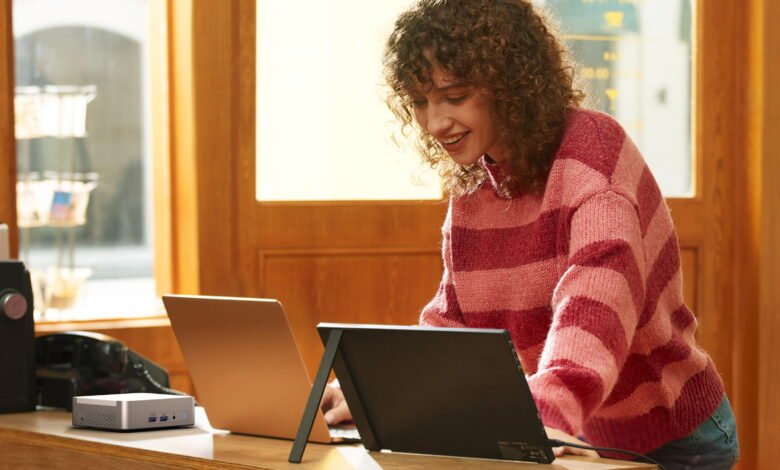
A reception desk is where first impressions are made and where delays are awkward at best. Mini PCs can help by keeping the setup smaller, quieter, cheaper to run and easier to support.
Reception computers do a lot with little attention. They run booking screens, visitor logs, email and messaging, often in tight spaces with cables and peripherals everywhere. A mini PC, like the examples you can see at GEEKOM UK, is a full desktop computer in a small box, which makes it a practical fit for front of house work in clinics, hotels, gyms and offices.
When Did Mini PCs Turn Up?
If you’ve still not really noticed mini PCs, they’re clearly doing a very good job of being subtle. They have been around for a while, although their mainstream popularity is more recent. Early small-form factor machines like the Apple Mac mini arrived in January 2005, then the late 2000s saw ‘nettop’ style mini desktops such as the ASUS Eee Box in 2008. Intel then helped standardise the category with its Next Unit of Computing designs, previewed in 2012 and launched in early 2013, which is why many people think of the 2010s as the decade when mini PCs became a common, everyday choice for offices and home setups.
Space And Cable Control
A typical desk needs room for people and paperwork, plus kit like a card reader and a receipt printer. When you add a full size tower, cables often spill into view or hang where feet and bags can catch them.
Mini PCs reduce that sort of mess because you can place them closer to the monitor and devices. They’re often mounted behind a screen using a VESA bracket or sat under the counter on a small shelf. Shorter cable runs are easier to hide, and it’s simpler to keep ports accessible without having to crawl under the desk every time you need to plug something in. The end result is more is practical and visually cleaner: fewer snags, less clutter, simpler cleaning and a workspace that looks organised.
Quiet Work And Heat Management
Reception is full of calls and quick questions. Fan noise is distracting, and heat build up under a counter can make a system slow down or reboot.
Mini PCs are usually built around lower power components than bulky towers, so they often generate less heat in everyday office tasks. That can mean fewer ‘why is this so loud today?’ complaints for starters, plus more flexibility about where you place the computer (including inside a locked drawer, as long as you still allow airflow). If your current PC lives in a cramped cabinet, even a small change in heat and airflow can make the whole setup feel more dependable.
Running Costs And Energy Use
Because a reception desk computer can spend long stretches waiting for the next visitor, idle power often matters more than peak power. That’s why ENERGY STAR, a US-initiated but globally-recognised certification of energy efficiency, uses a Typical Energy Consumption approach to compare computers, using measured power across common modes. As an example: In wall meter testing of the GEEKOM A7 mini PC, idle energy usage was measured at about 4.3 to 5.4 watts, with power off around 1.4 to 1.5 watts. If the PC sits near idle for 10 hours a day, that adds up to roughly 18 kWh over a whole year: around £5 at January 2026 tariff prices.
Security And Compliance Basics
Reception devices often touch sensitive data, so staying patched matters. As an example of the upheaval not being able to do so can cause: Microsoft reported that Windows 10 reached end of support on October 14, 2025, meaning standard devices no longer received security updates. This in turn triggered a wave of upgrades, with the International Data Corporation reporting that global PC shipments grew 9.6% year over year in Q4 2025, reaching 76.4 million units.
A mini PC does not automatically make you safer, but it can make good habits easier, by encouraging standardisation. Aim for a simple, repeatable build:
- A modern, supported operating system with automatic updates enabled
- A limited user account for day-to-day reception work
- Full disk encryption and a strong local admin password
- A locked down browser profile for web based systems
Support, Resilience And Simple Selection
When the front desk PC fails, the impact is immediate: check-ins slow down, messages get missed, prints fail and queues form. Downtime can also be expensive. Meanwhile, mini PCs can reduce disruption by making recovery simpler. You can keep a spare unit with the same image, accounts and settings, then swap the whole box in minutes. Because the hardware is small and consistent, it is easier to store a backup, ship a replacement, standardise spares and support multiple sites without inventing a new fix every time.
When you compare models, focus on the boring things that keep reception moving: enough ports for a keyboard, a mouse, a printer and a card reader, wired Ethernet and Wi-Fi for connection resilience, plus support terms that match your business hours. If you’re looking to buy a mini computer, it’s a good idea to browse examples and specifications online until you find one that matches the aforementioned prerequisites, then compare warranty, manageability, serviceability and price.
Remember, mini PCs work well at reception because they solve repeat problems: space, noise, power use and awkward support. If you standardise your setup and keep a spare ready, front of house computing becomes almost invisible, which is exactly what you want.