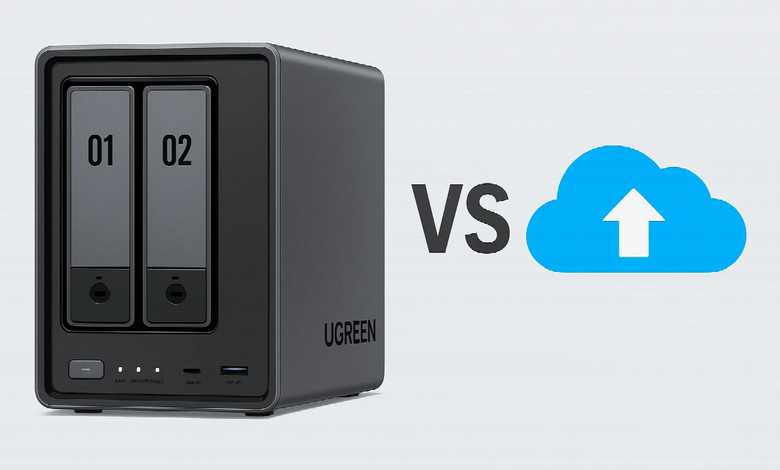
Cloud storage looks cheap because the bill arrives monthly. A NAS looks expensive because most of the cost arrives on day one.
That difference explains most of the long-term cost gap. Cloud keeps the upfront bill low but charges for as long as you need the space. NAS costs more at the start, then shifts spending towards electricity, maintenance and future upgrades.
So which is cheaper? At modest capacities, Cloud can remain competitive for years. As storage grows, ownership starts to look more attractive. The useful comparison is not today’s price, but five years of renting storage versus five years of owning it.
What Are You Actually Paying For?
Cloud and NAS solve a similar storage problem through opposite cost models.
With cloud storage, the provider owns and maintains the infrastructure. You pay for a storage tier and move up when you need more capacity. Hardware failures, server maintenance and most infrastructure costs sit behind the subscription.
A NAS moves those costs to the beginning. You buy the enclosure and drives, keep the hardware at home or in the office, and manage its storage yourself.
That makes the cost structure look very different:
| Cost | Cloud storage | NAS |
| Initial spend | Low | High |
| Storage | Recurring subscription | Drives purchased upfront |
| Electricity | Included | Paid by the owner |
| Hardware maintenance | Included | Owner’s responsibility |
| Capacity upgrades | Higher subscription tier | Add or replace drives |
| Independent backup | May still be required | May still be required |
The last line matters. Neither option removes the need to think about backup. RAID can keep a NAS available after certain drive failures, but it does not protect against deletion, malware, theft or loss of the entire device.
A fair cost comparison therefore needs to compare equivalent storage outcomes, not a cloud subscription against the price of an empty NAS enclosure.
Cloud Cost Is Simple — and Cumulative
As of August 2026, Apple lists iCloud+ in the UK at £8.99 per month for 2TB, £26.99 for 6TB and £54.99 for 12TB.
If those prices remained unchanged, five years would cost:
| Capacity | Monthly cost | Five-year cost |
| 2TB | £8.99 | £539.40 |
| 6TB | £26.99 | £1,619.40 |
| 12TB | £54.99 | £3,299.40 |
This is an illustration, not a forecast. Providers can change prices, plans and bundled features.
What matters is the shape of the cost curve. At 2TB, paying roughly £540 over five years may be easier to justify than buying and maintaining dedicated hardware. At 6TB or 12TB, recurring storage becomes a much larger financial commitment.
NAS Cost Is Front-Loaded — but Not One-Off
A NAS has no equivalent monthly storage fee for the capacity you already own, but that does not make its running cost zero.
The initial budget normally includes the enclosure and drives. You then need to account for usable rather than raw capacity.
Two 8TB drives in RAID 1, for example, do not provide 16TB of usable storage. Because the data is mirrored, usable capacity is roughly equivalent to one 8TB drive before system and filesystem overhead.
Electricity also belongs in the calculation.
A NAS averaging 20W across the year would consume about 175kWh annually. Ofgem’s average electricity unit rate for the Great Britain price cap from 1 July to 30 September 2026 is 26.11p per kWh.
At that rate, the example system would cost roughly £46 a year, or around £229 over five years, assuming both consumption and electricity pricing stayed unchanged.
Then there are less predictable costs: a failed drive, a capacity upgrade or additional backup storage.
The NAS cost model is therefore not “buy once, pay nothing”. It is to buy capacity upfront, then maintain what you own.
Why Does the Cost Gap Change Over Time?
The economics shift because cloud storage and NAS scale differently.
Cloud scales through recurring fees. NAS scales through hardware.
That distinction becomes more important as either capacity or time increases.
At Lower Capacities, Cloud Has a Strong Case
Take a user who needs around 2TB.
Five years of iCloud+ at today’s £8.99 monthly price would cost £539.40. A NAS with suitable drives, electricity and an independent backup could easily exceed that figure.
Cloud also avoids hardware maintenance and provides straightforward access from outside the home.
For someone with modest, stable storage needs, buying a NAS solely to eliminate a cloud bill may not make financial sense.
Larger Libraries Change the Equation
Now consider a photographer, filmmaker or home business keeping several terabytes of data for years.
At today’s iCloud+ pricing, 6TB would cost more than £1,600 over five years; 12TB would exceed £3,000.
At that point, the question changes.
The comparison is no longer a small monthly subscription against an expensive box. It is a substantial recurring storage bill against hardware whose capacity remains available after the initial purchase.
That is where NAS economics become more compelling.
There is still no universal “NAS pays for itself after three years” rule. The break-even point depends on:
- required usable capacity;
- drive configuration;
- hardware cost;
- electricity consumption;
- storage growth;
- backup strategy;
- how long the NAS remains in service.
A 2TB user and a 12TB user are solving different problems. Giving both the same break-even estimate is meaningless.
Cost per Terabyte Also Misses Part of the Story
A cheaper terabyte is useful only if it fits the workflow.
Cloud storage includes infrastructure, remote availability and minimal hardware management. A NAS offers local storage, more control over capacity and potentially lower long-term costs at scale.
Performance can matter too.
Large RAW photo sets, video projects and system images can be moved across a local network without repeatedly uploading and downloading them over the internet. For heavy workflows, that can add practical value even before a strict cost advantage appears.
Conversely, someone who works across several locations may value cloud access enough to accept a higher long-term storage bill.
This is why cost should not be isolated from the broader NAS vs cloud storage comparison. The cheaper option is not necessarily the better one if it performs poorly for the way the data is actually used.
How Should You Choose?
The decision becomes much simpler once storage size and time horizon are clear.
Choose Cloud When You Need Flexibility More Than Ownership
Cloud is usually the stronger fit when:
- your storage requirement is relatively small;
- you want minimal upfront spending;
- storage needs may change quickly;
- easy access from multiple locations is a priority;
- you do not want to maintain hardware.
It can also make financial sense when the subscription includes other services you already use. In that case, treating the full monthly price as a pure storage expense overstates the real cost.
Choose NAS When Capacity Is Large and Long-Lived
NAS becomes more attractive when:
- you already manage several terabytes of data;
- storage is likely to keep growing;
- several devices or users share the same pool;
- large files are accessed frequently over the local network;
- you expect to keep the hardware for several years.
The longer a useful NAS remains in service, the more years its initial hardware cost can be spread across.
But capacity planning matters. Buying too small and replacing the system early can erase much of that advantage.
Once local storage makes financial sense, the next step is choosing the right home NAS for the capacity, expansion path and workload you actually need—not simply the cheapest enclosure available.
For Many Users, the Best Answer Is Hybrid
NAS and cloud do not have to replace each other.
A more efficient setup can divide the job:
- NAS: large working libraries, device backups and archives;
- Cloud: selected files that need off-site protection or frequent remote access.
A photographer with a 10TB local library, for example, may not need to pay for 10TB of consumer cloud storage. The full archive can remain on the NAS while a smaller set of critical files is copied off-site.
That changes the economics again.
Instead of paying cloud rates for every terabyte, cloud becomes a selective service layered on top of owned storage.
So, Is NAS Cheaper Than Cloud?
At small capacities, not necessarily. Cloud keeps the initial cost low, removes hardware maintenance and can remain economical when only a few terabytes are required. As storage becomes larger and stays in use for longer, the balance shifts. Cloud continues charging for capacity; a NAS lets you keep using storage you already own.
That brings the comparison back to the distinction at the start: Cloud rents capacity. NAS buys it.
If you need flexibility and modest storage, renting can be the better deal. If you expect to keep many terabytes for years, ownership deserves a much closer look.