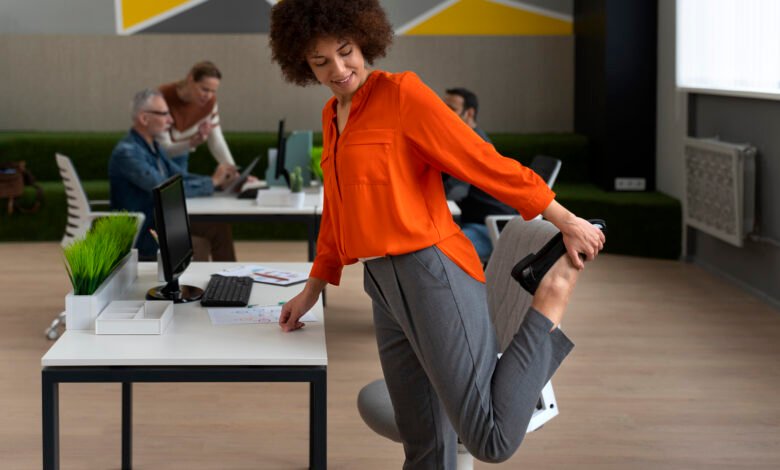
Sitting at a desk for eight hours a day takes a serious toll on the human body. Many office workers experience stiff necks, aching lower backs, and tired eyes by the time the afternoon rolls around. Human bodies are simply not designed to remain in a seated, stationary position for prolonged periods.
Poor posture and poorly configured workspaces often lead to chronic pain and reduced productivity. You might blame your age or your workload, but the real culprit is usually your desk setup. Small adjustments to how you sit, look, and type can make a massive difference in your daily comfort.
You do not need to spend thousands of dollars on high-end equipment to feel better. A few practical changes can instantly upgrade your workspace. Here are seven ergonomic hacks you can implement right now to protect your health and boost your focus.
1. Master the 90-Degree Rule
The foundation of good desk posture relies on right angles. When you sit in your office chair, check the alignment of your joints. Your elbows should bend at a 90-degree angle while resting on your desk or armrests. Your hips and knees should also form 90-degree angles.
If your chair is too high, your feet will dangle, putting pressure on your thighs. If it is too low, your knees will point upward, shifting your body weight awkwardly onto your lower back. Adjust your chair height until you achieve these optimal angles. This simple alignment prevents joint strain and encourages a neutral spine position.
2. Elevate Your Monitor to Eye Level
Neck pain is incredibly common among office workers. This usually happens because monitors are placed too low, forcing you to tilt your head downward. A human head weighs about 10 to 12 pounds. Tilting it forward significantly increases the strain on your neck muscles and cervical spine.
To fix this, adjust your monitor so the top third of the screen sits directly at eye level. If you work on a laptop, consider buying a laptop stand and a separate keyboard. You can also use a stack of sturdy books to elevate your screen if you need a quick, free solution. Keeping your head in a neutral, forward-facing position will quickly eliminate that end-of-day neck stiffness.
3. Support Your Lower Back
Your lower back has a natural inward curve. Most standard chairs do not support this curve, causing you to slouch forward after a few hours. Slouching puts immense pressure on your lumbar discs.
You need proper lumbar support to maintain a healthy posture. If your current chair lacks a supportive curve, roll up a small towel or use a small pillow. Place it exactly where your lower back arches. If you want a more permanent fix without breaking the bank, consider upgrading your seating. You can often find high-quality, ergonomic options by shopping for used office furniture in Las Vegas or your local area. A good chair is an investment in your physical health.
4. Practice the 20-20-20 Rule
Ergonomics goes beyond your muscles and joints. Your eyes also suffer from long hours of focused computer work. Staring at bright screens reduces your blink rate, leading to dry, irritated eyes and tension headaches.
Eye care professionals highly recommend the 20-20-20 rule to combat digital eye strain. Every 20 minutes, look away from your monitor. Focus your eyes on an object that is at least 20 feet away. Keep looking at that object for a full 20 seconds. This brief pause gives your eye muscles a chance to relax and reset.
5. Keep Your Mouse and Keyboard Close
Reaching for your mouse or keyboard might not seem like a big deal. However, repeatedly stretching your arm forward forces your shoulder out of alignment. Over time, this repetitive reaching causes shoulder pain and upper back tension.
Position your keyboard and mouse right at the edge of your desk. They should be close enough that you can keep your elbows resting comfortably by your sides while you type and click. Your forearms should extend straight out. If you have to lean forward to reach your tools, they are too far away.
6. Utilize a Footrest
Sometimes, adjusting your chair to the perfect height for your desk means your feet no longer touch the floor flatly. Dangling feet restrict blood circulation to your lower legs and increase pressure on the back of your thighs.
If your feet do not rest completely flat on the ground, bring the ground to your feet. A dedicated ergonomic footrest is a great addition to any office setup. Alternatively, you can repurpose a sturdy box or a thick book. Firmly planting your feet helps distribute your body weight evenly and provides a stable base for your spine.
7. Build Movement into Your Routine
The best ergonomic chair in the world cannot change the fact that sitting still is bad for you. Human bodies require movement to keep blood flowing and muscles engaged. Static postures lead to fatigue and stiffness, regardless of how perfect your desk setup might be.
Set a timer to remind yourself to stand up at least once every hour. Take a short walk to the kitchen for a glass of water, do some gentle shoulder rolls, or stretch your hamstrings. Micro-breaks keep your muscles warm and prevent tension from building up throughout the workday.
Take Control of Your Workspace Comfort
Pain should never be a normal part of your workday. By making a few mindful adjustments to your environment, you can dramatically improve how your body feels. Start by checking your sitting angles and raising your monitor to the correct height.
Take a few minutes today to evaluate your current setup. Implement these seven hacks one by one and notice how your body responds. If you still feel persistent discomfort, it might be time to discuss a formal ergonomic assessment with your human resources department or consult a physical therapist. Protect your health today so you can stay focused, productive, and pain-free tomorrow.