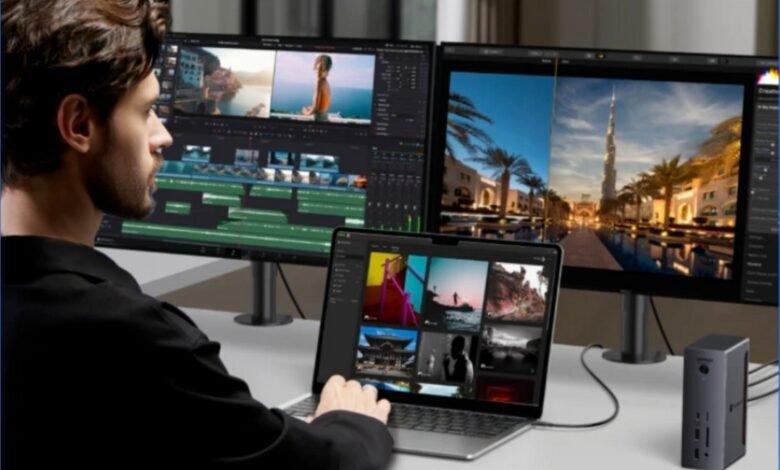
There is a particular kind of upgrade pressure that tends to hit MacBook users not when they buy the laptop, but when they build the desk around it. The computer still feels quick, modern and expensive in all the right ways, yet the setup starts to sprawl: two displays, fast external storage, Ethernet, charging, card readers, audio gear, perhaps a webcam, perhaps a capture device, and suddenly the question becomes less about the MacBook itself and more about the infrastructure underneath it. That is where the thunderbolt 4 dock versus Thunderbolt 5 conversation starts to feel relevant.
The temptation is to frame this as a simple generational decision: Thunderbolt 5 is newer, faster and therefore better, so serious users should move on. But Apple’s own current lineup suggests the reality is far more nuanced. The latest MacBook Air with M5 still uses two Thunderbolt 4 ports, while the standard M5 MacBook Pro still ships with three Thunderbolt 4 ports. Only the M5 Pro and M5 Max MacBook Pro models move to Thunderbolt 5. In other words, Apple is clearly treating Thunderbolt 4 as fully current for a large portion of MacBook users, while reserving Thunderbolt 5 for more demanding tiers.
That matters because it changes the right question. The question is not whether Thunderbolt 5 is technically more capable. It is. Intel says Thunderbolt 5 delivers 80 Gbps of bi-directional bandwidth and up to 120 Gbps with Bandwidth Boost for display-heavy scenarios, whereas Thunderbolt 4 sits at 40 Gbps. The more useful question is whether your actual workflow as a creator or developer has already outgrown what Thunderbolt 4 does well.
Why TB4 is still very much alive
A dock is not like a CPU or GPU upgrade where raw gains are often the main story. A dock is infrastructure. Its value lies in how cleanly it lets a MacBook move between mobility and a full desk environment. If it can still handle your displays, your storage, your networking and your charging without introducing daily friction, then it is still doing its job properly.
That is precisely why Thunderbolt 4 remains relevant in 2026. It still gives MacBook users a single-cable route to power, fast data, DisplayPort support and a cleaner workstation layout. For a huge number of setups, that is already enough to transform a laptop from something portable-but-limited into something that feels properly desk-ready. Apple continuing to build current MacBook Air and standard MacBook Pro models around Thunderbolt 4 is the clearest possible sign that the standard is not a leftover. It is still part of the mainstream Mac story.
This is especially relevant if you are shopping for a macbook air dock. The current MacBook Air M5 has two Thunderbolt 4 ports and supports up to two external displays. That means a Thunderbolt 4-based dock is not some conservative fallback. It is the natural extension of the machine’s own I/O. For people using a MacBook Air as a hybrid work machine, a desk setup built around Thunderbolt 4 still makes obvious sense.
The same is true, to a lesser extent, for a macbook pro dock if your machine is the standard M5 MacBook Pro rather than the Pro or Max variants. Apple still gives that model three Thunderbolt 4 ports and support for up to two external displays over Thunderbolt and HDMI. So if your Pro workflow is still centred on one or two monitors, fast storage and the usual mix of peripherals, a Thunderbolt 4 dock is not lagging behind your laptop. It matches it.
Do creators need TB5?
Some do. Many do not.
Creators are the group most likely to benefit from Thunderbolt 5 because they are the most likely to build the kind of desk that stresses a dock in multiple directions at once. Video editors, photographers working from large libraries, motion designers, 3D artists and audio professionals often combine external displays, fast SSD arrays, high-throughput peripherals and heavier file movement than a typical office setup ever sees. Intel positions Thunderbolt 5 directly at these higher-bandwidth, display-heavy environments, which is a strong clue as to where the standard makes the most sense.
If you are editing multi-camera video, moving large project files between external drives and keeping several peripherals live while driving multiple high-resolution displays, then the appeal of TB5 is real. It is not just about speed for the sake of it. It is about headroom. Once a dock becomes the central highway for several demanding tasks at the same time, extra bandwidth and a higher overall ceiling can make the workstation feel less compromised.
That said, a lot of “creator” workflows are less extreme than the label implies. Plenty of designers, photographers and editors still work comfortably with one or two monitors, a single fast SSD, standard audio gear and a straightforward desk layout. For that group, a good thunderbolt 4 dock can still be perfectly sensible. It is often the quality of the dock, the display setup or the storage arrangement that matters more than the leap to the next transport standard.
In practical terms, creators should start leaning towards TB5 when their desk begins to look less like an upgraded laptop setup and more like a compact workstation. Apple’s own current Pro lineup reinforces this. The M5 Pro MacBook Pro supports up to three external displays, and the M5 Max supports up to four. Those are not casual configurations. If your MacBook is already operating in that part of the spectrum, then a dock that reflects that level of ambition becomes much easier to justify.
What about developers?
This is where the answer gets more interesting, because developers are often assumed to need the newest connectivity tier simply because they are “power users”. In reality, most developers do not automatically need TB5.
A large share of software development work is still fundamentally CPU, memory and screen-space heavy rather than dock-bandwidth heavy. A typical developer desk might involve a pair of displays, a keyboard, perhaps wired Ethernet, a microphone, maybe an external SSD for projects or virtual machines, and that is about it. Even quite serious development workflows can sit very comfortably within what Thunderbolt 4 already handles well. For many developers, the real productivity gain comes from a stable desk that reconnects cleanly every day, not from a dock with maximum theoretical bandwidth.
Where developers do start to edge towards TB5 is in more specialised environments. If your workflow involves multiple high-refresh or high-resolution external displays, heavy local virtualisation, large datasets, external NVMe storage that is under constant pressure, or a more lab-like setup with lots of simultaneously connected devices, then you may start to appreciate the extra margin. The same goes for developers who also create content, run demos, record video, or build hardware-adjacent workflows around their desk.
But for the average developer using a MacBook Air or a standard MacBook Pro, Thunderbolt 4 is still very likely enough. Apple’s continued reliance on it in those machines is not accidental. It reflects the fact that not every demanding user is a high-bandwidth user.
MacBook Air users: TB4 remains the obvious fit
If you are using a MacBook Air, this is probably the easiest call of all. Apple’s latest Air remains a Thunderbolt 4 machine, and it supports up to two external displays. That means the right macbook air dock in 2026 is still usually a well-made TB4 dock, not because it is cheaper, but because it fits the machine properly. The Air is about balance: portability, simplicity and enough desk power to feel serious when connected up. Thunderbolt 4 still serves that balance extremely well.
MacBook Pro users: it depends which Pro you mean
For a macbook pro dock, the answer is more tiered. If you have the standard M5 MacBook Pro, Thunderbolt 4 is still the native standard and still a reasonable place to stay. If you have an M5 Pro or M5 Max machine, then you are already in the part of the range where Apple has moved to Thunderbolt 5 and much more ambitious external display support. That does not force an immediate upgrade, but it does change the conversation. At that point, TB5 becomes less of a luxury and more of a potentially logical match for the machine you bought.
So what should people actually buy?
The simplest way to think about it is this. Buy TB5 when your desk is clearly moving into workstation territory. Stay with TB4 when your needs are still fundamentally those of an advanced laptop setup.
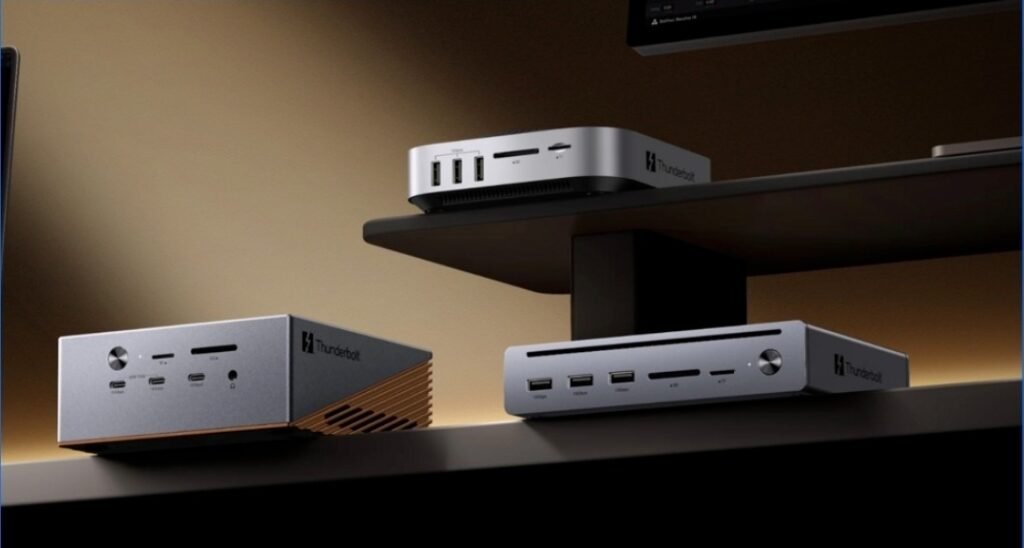
That is why both standards still exist in the market, and why brands like UGREEN are now offering both Thunderbolt 4 and Thunderbolt 5 docks in the UK rather than treating one as a total replacement for the other. The market has effectively split into two sensible camps: people who need strong, mature desk infrastructure, and people who need a higher-bandwidth foundation for denser creative or technical workstations.
Verdict
Creators and developers do not automatically need TB5. Some creators absolutely will benefit from it, especially those working with multiple high-end displays and storage-heavy media workflows. Some developers will too, particularly if their desk is becoming unusually dense or hardware-heavy. But for a large number of people in both groups, thunderbolt 4 dock territory is still where the sensible answer lies. Apple’s current MacBook Air and standard MacBook Pro both remain there, and for most one- or two-display desks, that is still enough.
The better dividing line is not job title, but setup complexity. If your desk still behaves like an upgraded laptop environment, TB4 is likely fine. If it is evolving into a true workstation with multiple demanding displays and a stack of fast peripherals all competing at once, that is when TB5 starts to earn its keep.